[](https://github.com/magicoflolis/Userscript-Plus/blob/master/LICENSE)
[](https://github.com/magicoflolis/Userscript-Plus/issues)
[](https://greasyfork.org/scripts/421603)
[](https://github.com/magicoflolis/Userscript-Plus/stargazers)
[](https://greasyfork.org/scripts/421603)
[](https://github.com/magicoflolis/Userscript-Plus/blob/master/dist/magic-userjs.user.js?raw=1)
---
 Magic Userscript+
*A complete rewrite of [Userscript+ : Show Site All UserJS](https://github.com/jae-jae/Userscript-Plus)*
Finds available UserScripts for the current webpage, the power of [Greasy Fork](https://greasyfork.org) on the go!
[UserScript Changelog](https://github.com/magicoflolis/Userscript-Plus/blob/master/CHANGELOG.user.md)
[List of known issues by Web Browser](https://github.com/magicoflolis/Userscript-Plus/blob/master/browser-issues.md)
## **Download**
**UserScript:**
> [!IMPORTANT]
> The UserScript only works on `HTTPS` sites! ([https://example.com](https://example.com))
* [Greasy Fork](https://greasyfork.org/scripts/421603)
* [Open UserJS](https://openuserjs.org/scripts/Magic/Magic_Userscript+_Show_Site_All_UserJS) - outdated
* [GitHub Repo](https://github.com/magicoflolis/Userscript-Plus/blob/master/dist/magic-userjs.user.js?raw=1)
**Web Extension:**
*Firefox:*
* [Firefox Add-ons](https://addons.mozilla.org/firefox/addon/userscript-plus/)
* [GitHub Repo](https://github.com/magicoflolis/Userscript-Plus/releases/tag/webext/latest)
Works for desktop and mobile versions.
*Chromium:*
* ~~[Chrome Web Store](https://github.com/magicoflolis/Userscript-Plus/releases/tag/webext/latest)~~
* [GitHub Repo](https://github.com/magicoflolis/Userscript-Plus/releases/tag/webext/latest)
Magic Userscript+ should be compatible with any Chromium-based browser
**(Not Recommended) Bookmarklet:**
Save this URL as a bookmark, clicking it will cause the **UserScript version** to inject itself into the current webpage.
```JS
javascript:(function(){['https://cdn.jsdelivr.net/gh/magicoflolis/Userscript-Plus@master/userscript/dist/magic-userjs.user.js'].map(s=>document.body.appendChild(document.createElement('script')).src=s)})();
```
## Features
* Designed for mobile and desktop devices
* Support multiple languages - date formats will match your current language
* Query UserScripts from:
* [Greasy Fork](https://greasyfork.org)
* [Sleazy Fork](https://sleazyfork.org)
* [Open UserJS](https://openuserjs.org) ( limited availability, will read `Too many requests...` if limit is reached )
* [GitHub](https://github.com/search?l=JavaScript&o=desc&q="==UserScript==") ( requires [Personal Access Token](https://github.com/settings/tokens), no permissions are required )
* Customize the theme
* Import / export config and theme
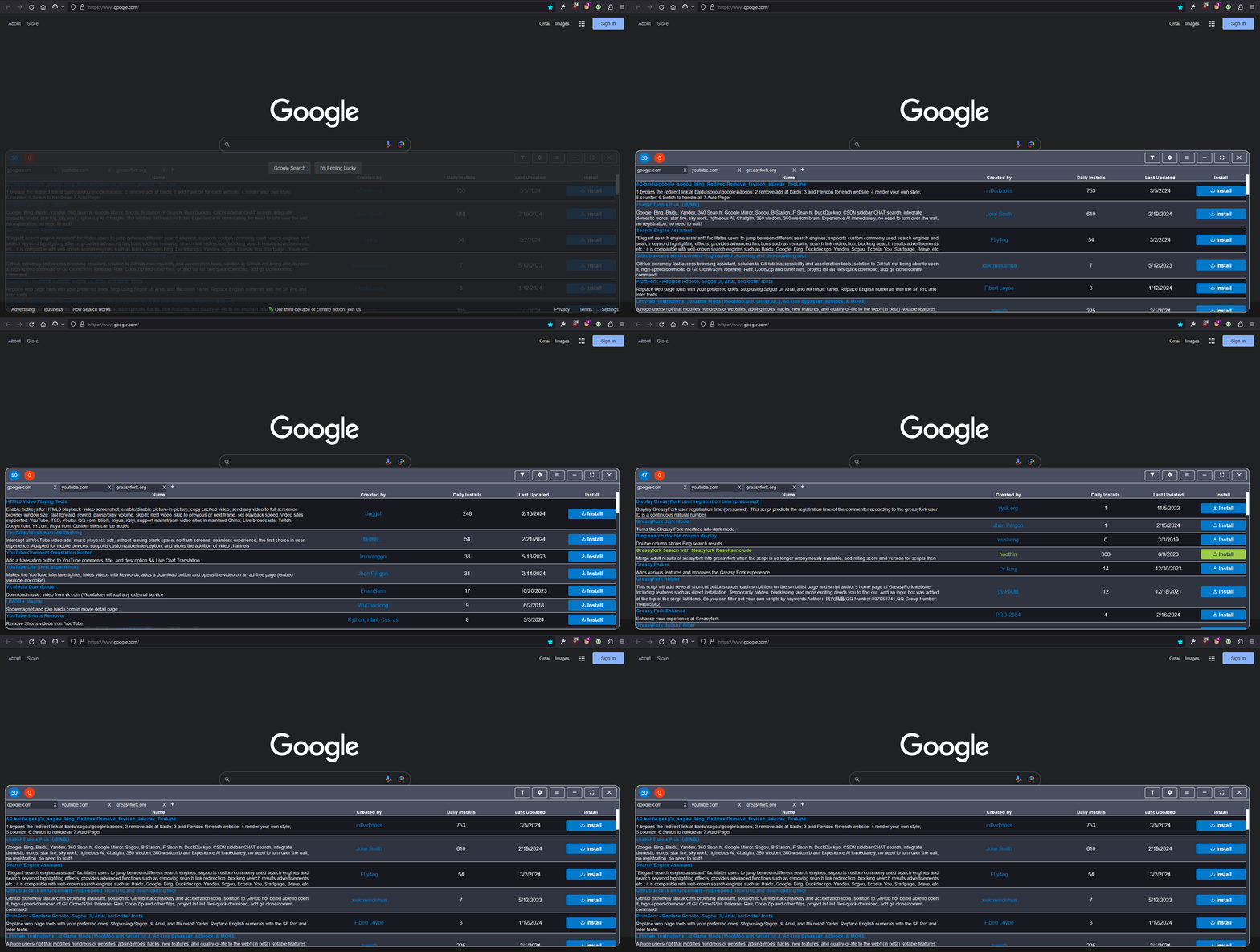
* Search for UserScripts
* Filter UserScripts which do not match your current language
* Sort UserScripts, default sorting "Daily Installs"
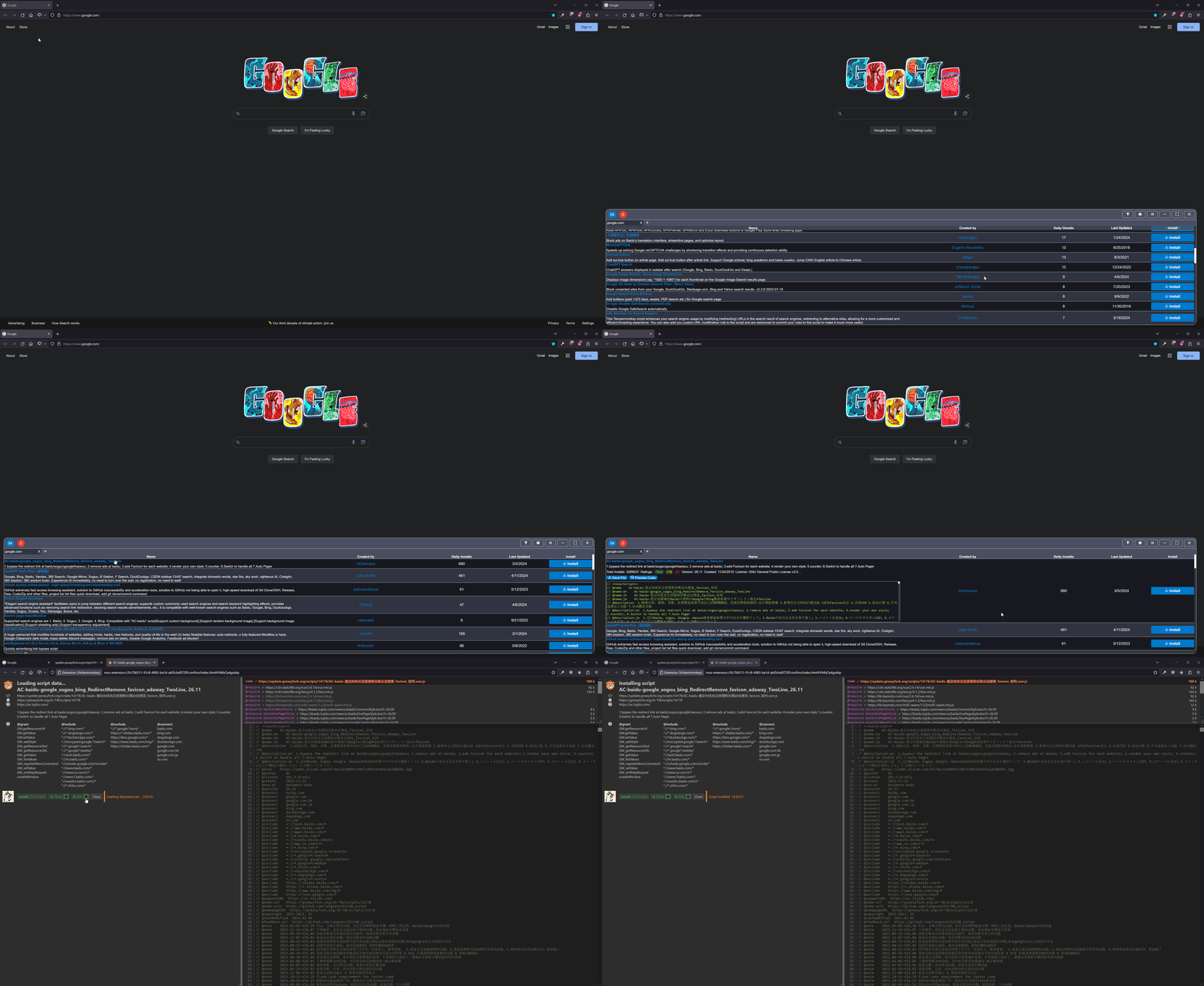
* Preview UserScript code before install
* Built-in UserScript [Greasyfork Search with Sleazyfork Results include](https://greasyfork.org/scripts/23840)
* Save UserScript as a local file
* Highlight UserScripts created by the [author](https://greasyfork.org/users/166061)
* Highlight recommended UserScripts from the [author](https://greasyfork.org/users/166061)
**UserScript Features:**
> Tested and compatible with [TamperMonkey](https://www.tampermonkey.net/) or [ViolentMonkey](https://violentmonkey.github.io/)
* Maximize, minimize, or exit the UserScript list
* Change the position of floating counter
* Sync config with UserScript manager or per host
**Bookmarklet Features:**
* Maximize, minimize, or exit the UserScript list
* Change the position of floating counter
* Separate config for every host
## Previews
## FAQ / Troubleshooting
**(UserScript) How do I open the menu?:**
* Click or touch the bottom right of a webpage
**(UserScript) Nothing appears bottom right:**
> [List of known issues by Web Browser](https://github.com/magicoflolis/Userscript-Plus/blob/master/browser-issues.md)
* Try again on another webpage [[Test Page](https://youtube.com)]
* Default timeout is 10000ms before the count disappears
* If issue persists, see [View Console Logs](#view-console-logs) or submit a [New Issue](https://github.com/magicoflolis/Userscript-Plus/issues/new/choose)
**(UserScript) Error occurred while injecting Container:**
* Try again on another webpage [[Test Page](https://youtube.com)]
* This error is caused by the current webpage not supporting [attachShadow](https://developer.mozilla.org/en-US/docs/Web/API/Element/attachShadow)
**(UserScript) Error occurred while loading UserJS for this webpage:**
* Reload the webpage or try again on a different webpage [[Test Page](https://youtube.com)]
* This error *may* be caused by
* An error occurred in an enabled search engine while fetching content
* Script is unable to fetch content on current or all webpages
**No available UserJS for this webpage:**
* This error *can* be caused when no UserJS could be found in enabled search engines
* If there are known UserJS to exist in enabled search engines, enable `Filter out other languages`
## View Console Logs
* Open your web browsers Inspect Element and navigate to it's Console
* Locate the following **[UserJS] < message >** ( you can filter your Console by entering **UserJS** or **[** )
* **If nothing appears, this means the script is not executing at all!**
* For any additional help, submit a [New Issue](https://github.com/magicoflolis/Userscript-Plus/issues/new/choose)
## Build
Install [Node.js](https://nodejs.org/) and [pnpm](https://pnpm.io/). *The version of Node.js should match or be greater than the `"node"` key in `package.json`.*
``` sh
# Install dependencies
$ pnpm i
```
### UserScript Version
**Desktop** - Developed in [ViolentMonkey](https://violentmonkey.github.io/), see [How to edit scripts with your favorite editor?](https://violentmonkey.github.io/posts/how-to-edit-scripts-with-your-favorite-editor/)
**Mobile** - Developed in [FireFox Developer Edition](https://www.mozilla.org/firefox/developer/) "Responsive Design Mode" on desktop + [cromite](https://github.com/uazo/cromite) app on Android
``` sh
# Watch and compile to local HTTP server
$ pnpm run dev:UserJS
# Compile UserScript to "./dist"
$ pnpm run pub:UserJS
```
### WebExtension Version
``` sh
# Compile WebExtension (developer version) for "Chromium" to "./build/chrome"
$ pnpm run dev:Cr
# Compile WebExtension (developer version) for "Firefox" to "./build/firefox"
$ pnpm run dev:FF
# Compile WebExtension (public version) for "Chromium" to "./build/chrome"
$ pnpm run webpack:Cr
# Compile WebExtension (public version) for "Firefox" to "./build/firefox"
$ pnpm run webpack:FF
# [ Testing ]
# Browsers can be launched via "Run and Debug" in VSCode.
# Edit runtimeExecutable in ".vscode/launch.json" to your Chrome executable.
# Recommended to create an additional profile "about:profiles" for Firefox.
```
### Roadmap
* Finish WebExtension
* Add sorting to the following: "Total installs", "Ratings", "Created date"
* Improve design of blacklist section.
### Source Code
* [https://github.com/magicoflolis/Userscript-Plus](https://github.com/magicoflolis/Userscript-Plus)