This repository was archived by the owner on Jan 6, 2023. It is now read-only.
Repository navigation
This repository was archived by the owner on Jan 6, 2023. It is now read-only.
'No project ID was provided, ..." on GAE #44
Description

I'm facing the same error of #38 but I'm on a GAE project.
Any idea what I could forget?
Reacted by Kateryna Rieznik
Activity
CaptainPatate commentedon May 10, 2017
I got the same issue from a fresh deployment on GAE. I think gcs-media-plugin dependency evolved somewhat and it now depends on GoogleCloudPlatform/google-cloud-php which does not seem to have project ID detection capability for the GAE platform.
A dirty patch is to specify your GCP project in gcs.php file:
chingor13 commentedon May 10, 2017
Is this on App Engine Standard or Flexible Environment?
gianni-di-noia commentedon May 10, 2017
@chingor13 standard.
gianni-di-noia commentedon May 10, 2017
@CaptainPatate ok, it works.
CaptainPatate commentedon May 10, 2017
@presveva good :)
Yes, this appears on App Engine Standard and I think I found the underlying issue. I was not able to find the link back when I wrote my first comment, but here it is now: googleapis/google-auth-library-php#135
gianni-di-noia commentedon May 11, 2017
@CaptainPatate thank you for the workaround.
Microserf commentedon Jun 21, 2017
Your fix worked for me @CaptainPatate! Thanks!
csadai commentedon Sep 8, 2017
FYI For some reason, some official Google cloud librairies expect a
GCLOUD_PROJECTenvvar (and not onlyGOOGLE_CLOUD_PROJECT)JamesVanWaza commentedon Nov 2, 2017
@CaptainPatate when you deployed to your domain, where did you save your package.json file?
CaptainPatate commentedon Nov 11, 2017
@jgacuca567 I don't remember having any file named
package.jsonon my wordpress project.JamesVanWaza commentedon Nov 22, 2017
@CaptainPatate I meant your json file, when you deployed to example.com where did you save the file? Mine works locally but when I run gcloud app deploy I get the error.
CaptainPatate commentedon Nov 22, 2017
Oh you mean the
app.yamlfile @jgacuca567? I think I put it in my project root folder. What error message did you get when you deploy?JamesVanWaza commentedon Nov 23, 2017
@CaptainPatate even though the site works locally on
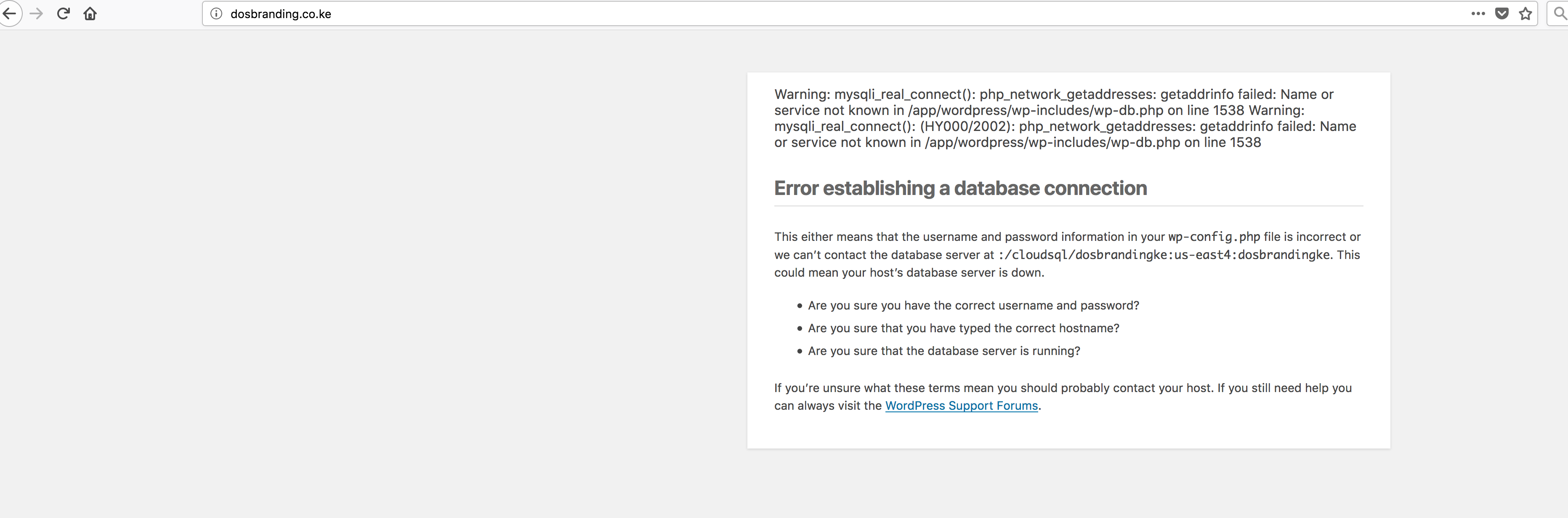
localhost:8080ran-dall commentedon Oct 23, 2018
@JamesVanWaza I don't know if you still are having the issue. But I was having this issue when my .json key was saved to my project root. I moved it to
/etcand it worked. Check my issue #61 for some details but I'm pretty sure if you move the key and you update your gcs.php, you'll be fine.JamesVanWaza commentedon Dec 14, 2018
@ran-dall do you mind, creating a video, showing the fix? How can I assist?
ran-dall commentedon Dec 17, 2018
@JamesVanWaza I'd be happy to create a video or walkthrough of some kind for you. I don't have time right now cause I'm about to leave for the holiday but maybe during, I'll have some extra time. I created an issue (#61) before with some details, have you checked that?
JamesVanWaza commentedon Jan 17, 2019
@ran-dall I am still having problems, with it. Maybe you can create a video showing the solution.
@ran-dall What's the ETA for the video?
ran-dall commentedon May 21, 2019
@JamesVanWaza I apologize for not seeing your message. 😁. I'll look into it over the next couple of days and let you know what I come up with...
JamesVanWaza commentedon Aug 29, 2019
@ran-dall its been 5 months. Any help?
ToddKopriva commentedon Aug 29, 2019
The Issues section of this GitHub repository is not the best place to get such questions answered quickly. I recommend bringing your question to one of the forums described here:
https://cloud.google.com/support/docs/community
Many members of the GCP community---including Google employees and other experts---help out on those forums.