Repository navigation
Suggestion: allow plots from session watcher to share editing pane #331
Description

@renkun-ken pointed me to the fact that session watcher allows you to see plots from a remote session natively in VSCode. This is amazing, and I wasn't aware of it until now.
Just one suggestion though: the watcher displays plots by splitting the editing pane vertically. When you also have your panes arranged vertically, this messes up the layout -- see screenshot below.
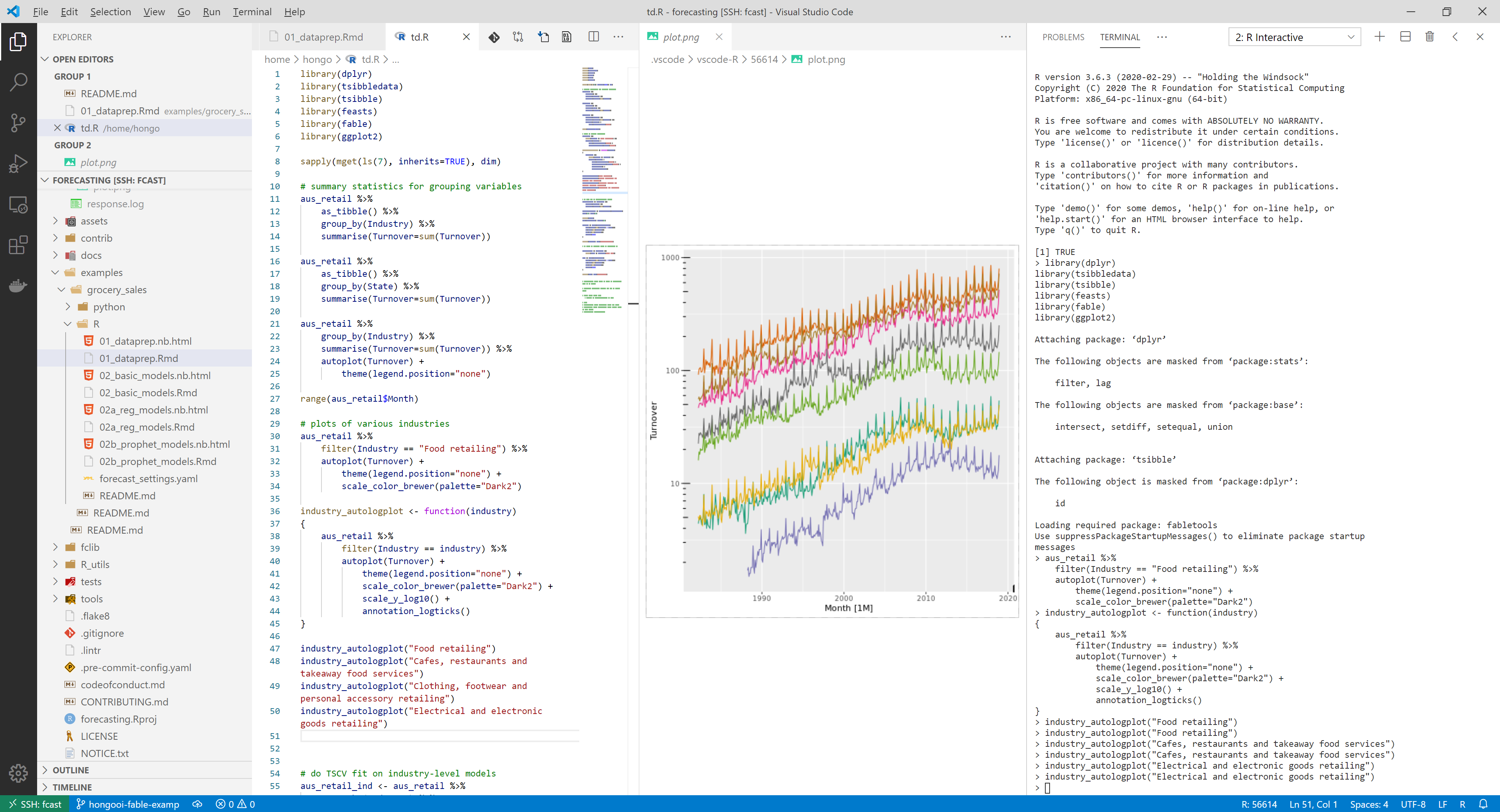
Is it possible to change the default layout for the session watcher, so that it shares the pane with the existing contents? I'd like to be able to arrange things so that it looks like this.
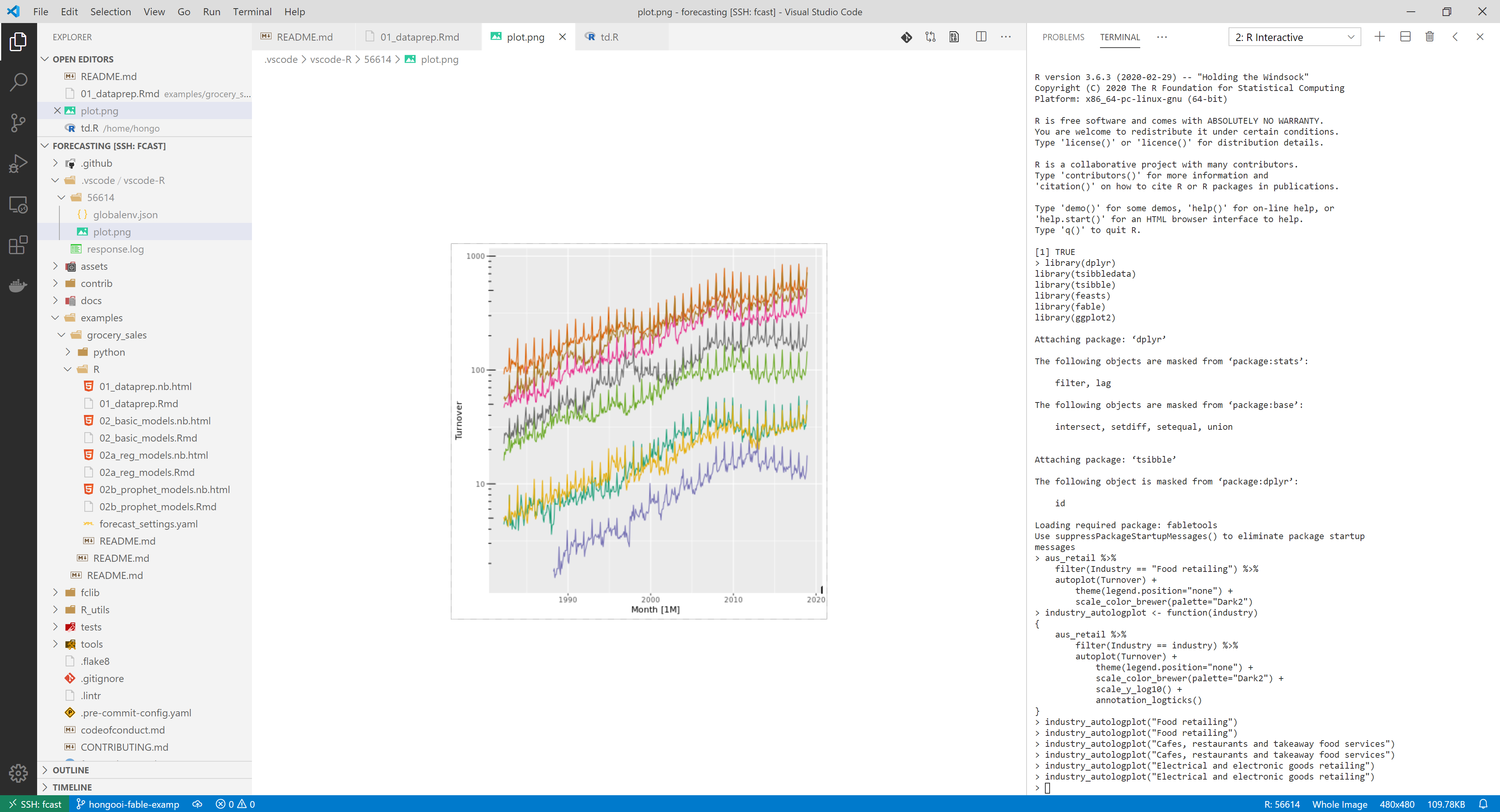
Dragging and dropping the pane works, but it goes back to the default layout as soon as I make a new plot.
Activity
renkun-ken commentedon May 20, 2020
Thanks for your suggestion! This behavior is specifically chosen at https://github.com/Ikuyadeu/vscode-R/blob/master/src/session.ts#L115 so that creating or updating the plot does not interrupt user code editing.
Currently,
ViewColumn.Twois hard coded as the view column of the plot if any update is detected. If I'm understanding it correctly, you are suggestingViewColumn.Activeso that the plot file appears in the active editor.From my observation, if your VSCode window is large enough,
ViewColumn.Twowill split the editor group into two groups vertically, or otherwise it will split it horizontally. If you are working in two editor groups, it will always show up in the second editor group. But if you are working in more (e.g. 4) editor groups, the behavior could be a bit messy.We could introduce more settings to allow user to decide the default view column of plot, browser (to show help, shiny app, etc. triggered by
browser), webview (to show htmlwidgets triggered byviewerorpage_viewer), dataview (to show table or list triggered byView()), plot history (triggered byr.showPlotHistory).hongooi73 commentedon May 21, 2020
The other possibility is to put the plot in its own window, ie the default local behaviour if the session watcher is turned off. This would be my preferred option actually; I have a dual-monitor setup so I could put the plot window there.
renkun-ken commentedon May 21, 2020
Showing plot outside VSCode (as R default behavior) is suggested at #277. This does not work with remote development since there's no proper graphics device on remote to show locally.
dschneiderch commentedon May 21, 2020
is this the default behavior? i couldn't see any plots without watcher enabled. i can file an issue if this is the case.
hongooi73 commentedon May 21, 2020
@dschneiderch I was referring to the local behaviour, ie everything is running on your own machine, in the native OS.
dschneiderch commentedon May 21, 2020
@Hong-Revo yes thats what I have. no plotting without session watch though.