Repository navigation
Progress bar sticks at 37% #551
Description

Hello,
On Eclipse Version: 2020-09 (4.17.0), after downloading latests wildwebdeveloper as image shows
 .
.
Node JS version Node.js v14.15.0 installed on Windows 10 the run nodejs Application runs good though the progress bar sticks at 37% this seems to be a bug.
Please if someone could fix it
Thanks a lot
Activity
[-]Progress bar sticks to 37%[/-][+]Progress bar sticks at 37%[/+]mickaelistria commentedon Oct 31, 2020
Is node.js visible in your PATH from the Eclipse IDE process?
Have you tried to install the "node.js embedder" feature form the wild Web Developer installation repository?
dudenessbcn commentedon Nov 1, 2020
hello @mickaelistria,
Thanks for reply,
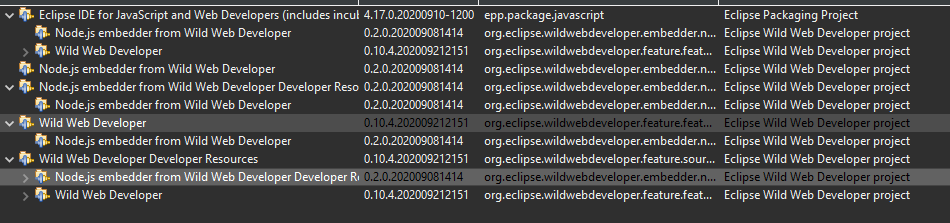
yes the embedder is installed, not sure how to check if IDE process is checking the nodejs PATH
I fixed setting up and external tool and selecting the nodejs.exe location
Thanks
mickaelistria commentedon Nov 1, 2020
Can you list the running subprocess of Eclipse IDE?
dudenessbcn commentedon Nov 1, 2020
hi @mickaelistria,
It seems there is an error while processing the Launching Nodejs Server
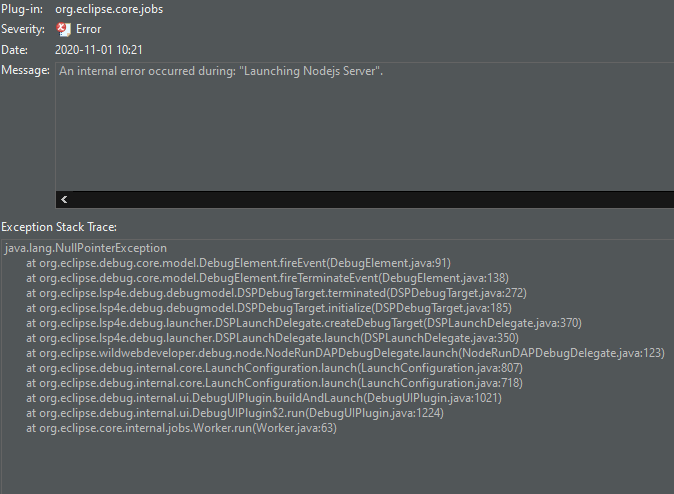
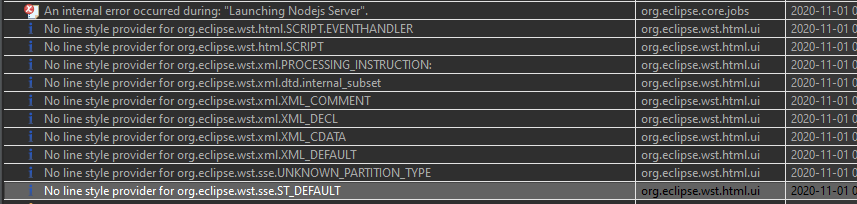
might be this causing the problem,
Don't know how to list all subprocess of eclipse, sorry
Thanks a lot!
mickaelistria commentedon Nov 1, 2020
I admit the code here isn't really expected to send an NPE at that point, so the error is confusing.
Can you please try to run Eclipse IDE with Java 14 and set
-XX:+ShowCodeDetailsInExceptionMessagesin eclipse.ini after-vmargsto get richer error messages?This is typically done by the OS, for example with
psin Linux. I don't know an equivalent command for Windows.jabby commentedon Nov 2, 2020
I think
pscommand works in Powershell.mickaelistria commentedon Feb 18, 2021
This should be fixed with newer snapshots of LSP4E. Please install the Debug Adapter support from https://download.eclipse.org/lsp4e/snapshots/.
acarstoiu commentedon Feb 19, 2021
It finally works properly, thank you!