Repository navigation
all wsl.exe commands hang #4144
Description

Please fill out the below information:
- Your Windows build number: (Type
verat a Windows Command Prompt)
Microsoft Windows [Version 10.0.18917.1000]
- What you're doing and what's happening: (Copy&paste the full set of specific command-line steps necessary to reproduce the behavior, and their output. Include screen shots if that helps demonstrate the problem.)
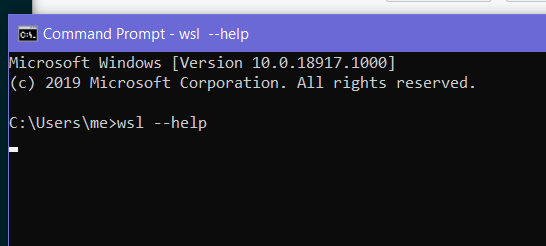
$ wsl.exe --help
$ wsl.exe -d Debian
etc...
Example with --help passed (screenshot taken 30s after running command)
- What's wrong / what should be happening instead:
wsl.exe should not hang.
Reacted by harmangakhal, Anthony Clark, Gabriel Dugny, Arsen, Adarsh Kini, Kevin Thompson, Paul Langton, Markus Mohoritsch, la-force-tranquille, Daniel Merz and 49 more
Activity
onomatopellan commentedon Jun 15, 2019
Run
wsl.exe --shutdownon an elevated cmd to make sure there is no VM running that can slowdown everything.Things to try:
-what it shows on cmd when you type
where wsl?-on powershell does
wsl --helphangs too?-show the output of
wsl -l -vandwsl echo "Hello". Did they hang too?devsnek commentedon Jun 15, 2019
Jonathan (@onomatopellan) everything you suggest also hangs
devsnek commentedon Jun 15, 2019
restarting fixed this, but obviously i don't know if it will happen again...
onomatopellan commentedon Jun 15, 2019
I'm running 18917 inside a Hyper-V VM and it didn't happen to me yet.
Next time you can try Process Explorer to see what's happening during the hangs.
craigloewen-msft commentedon Jun 17, 2019
Seems related to issue #4047.
kamil-mrzyglod commentedon Oct 4, 2019
It occasionally happens on my PC running 10.0.17763.740.
rlipscombe commentedon Nov 5, 2019
Seeing this with 10.0.19013.1.
arsdever commentedon Aug 16, 2020
Observed 10.0.19041.388.
where wslgives nothingkdbcinco commentedon Aug 31, 2020
Also facing this issue recently. I also tried restarting my laptop, but still, the issue persists.
Windows: Version 10.0.19041.450
wsl echo "test": Hangs, non-interruptible (Ctrl + C)wsl --help: Does not hangwsl -l -v: Hangs, interruptiblewsl --shutdown: Hangs, interruptiblekthompson commentedon Sep 3, 2020
Also experiencing this with
10.0.18363.10498549 commentedon Sep 15, 2020
I'm also running into this problem on 10.0.20211.1000, restarting the host machine (maybe a couple of times) usually does the trick.
emilsrits commentedon Sep 28, 2020
Started happening recently, all
wsl.exerelated commands hang except forwsl --help.OS version: 1909
OS build: 18363.1082
aadibajpai commentedon Oct 20, 2020
same issue, except wsl --help is hanging as well
[Version 10.0.19041.572] if that helps
edit: double restart fixed it for now
nickb937 commentedon Nov 11, 2020
I had this problem too. Trying to install an image would get stuck in the Installing state, or converting an image from WSL1 would report the error "the operation could not be started because a required feature is not installed."
The suggestion of disabling the override of Control Flow Guard in this comment solved the problem: #4626 (comment)
taseikyo commentedon Nov 13, 2020
same issue, all
wslcommands (includingwsl --help) hangOS version: 1909
OS build: 18363.1198
46 remaining items
DanKaplanSES commentedon Jan 24, 2024
jakob (@grandchild)
I'm on Windows 10 so that might be the difference, but when I tried to kill this in the task manager, it displays me
a pop up that forces me to restartUPDATE: I misunderstood the alert button. Clicking that shuts down the process, not the computer. :It's worth stating that after I followed the recommended steps, it didn't make a difference: wsl.exe still hangs.
I'm on Windows 10. Would anyone be able to explicitly list these features/services that should be disabled? I don't know if I'm doing it right because after restarting, WSL and the same set of hyper-v services were enabled automatically.
UPDATE: It turns out "features" in these comments refer to Start Menu > Turn Windows Features on or off. Windows 10 has many settings with "features" in the name, so I wanted to disambiguate this detail for others.
I still don't know what "WSL related features" means as it could mean many things. I'm assuming these:
mback4 commentedon Mar 5, 2024
I can really only replicate this problem by opening vscode from wsl/ubuntu and then forgetting to close the window when I let my computer go to sleep at the end of the workday. Coming back typically wsl has hung, won't respond to
wsl --shutdownat all.Using
taskkillto terminate the wslservice.exe fixes the problem for me.1EDExg0ffyXfTEqdIUAYNZGnCeajIxMWd2vaQeP commentedon Mar 25, 2024
Killing
wslservices.exeis not a good workaround, as it results in a bluescreen.caner-cetin commentedon Mar 25, 2024
thought my gmail glitched wtf is that name lmao, also I never got BSOD when killing wsl.exe, don't kill wslservices.exe
luka-markovic commentedon Apr 3, 2024
what revived it in my case was killing of all wsl related processes in taskmgr, then restarting lxssmanager service. It seems like every weekly windows update and subsequent mandatory restart (this is on a company laptop) messes it up. You also dont need to have hyper-v in enabled in features, just wsl and virtual machine platform.
hicotton02 commentedon Apr 4, 2024
I have the same issue. I have even uninstalled any distros, disabled all features, rebooted, enabled the features, rebooted, and tried to reinstall the distro. It hangs still. I am on Win 11 with latest updates. At this point, I am looking at reinstalling Windows....
sedlund commentedon May 30, 2024
for me I had
rcloneconfigured as a service that mounts a remote network storage as a drive. and that storage was down.this caused all the wsl commands (
wsl -lwsl --shutdown) to hang and WSL from starting.after stopping the rclone service wsl began working again.
maxfelker commentedon Aug 1, 2024
Having the same issue with Window 10 Version 22H2 OS build 19045.4651. My issue was the my physical hard drive ran out of memory while I was using VS Code and building docker images. This comment tipped me off:
I right clicked on my terminal and Ran as Adminstrator then ran the command above. In the same terminal I then ran
wsl.From there I was able to open WSL by either opening up the Ubuntu app from the start bar or typing
wslinto my terminal running at user level. That resolved my issue, did not get BSoD.HernandoR commentedon Aug 28, 2024
Constantly experience this Issue, regardless reboots.
wsl --shutdownstill hangswsl --list --runningshows my Ubuntuwsl --uninstallcmdl shows error and fail, but the log shows uninstalled.wsl --list --runningno wsl is running,vegerot commentedon Feb 25, 2025
I am still getting this issue. Every wsl command hangs, including commands to kill wsl
karmamaster commentedon Apr 17, 2025
Nothing of above work, anyone have ways to work around?
elide-b commentedon Jun 23, 2025
Give the WSL command enough time to time out, even up to 10 minutes, try disabling the features and restarting, and eventually you might be lucky enough to see a message like this:
and pressing a key then actually updates and repairs the WSL installation
syamsoul commentedon Jul 21, 2025
previous i use the above solution....
but now, the wsl hang issue happened again on my laptop.....and i tried above solution, seems didn't work for me....
i try to find another solution, and found out a new solution that worked for me, as below:
It is going to work again without deleting any of your WSL environments
JuanFontes commentedon Sep 15, 2025
All commands weren’t working for me, they were all hanging. I restarted, and when I opened VS Code it connected to WSL with no issues. All settings (Hyper-V, Windows Subsystem for Linux, etc.) are correct. Anyway, a restart “fixed” it.
paulangton commentedon Sep 15, 2025