Repository navigation
WSL2 Unable to Install/Upgrade Distros 18995.1+ #4573
Description

Build: 10.0.18995.1
I tried really hard not to open another issue here but I'm not having any success with WSL2 on latest build. The following issues may be related as to why:
-
Attempts to convert working WSL v1 distros fail with prompt to enable Virtual Machine Platform feature (tested w/Ubuntu 18.04 LTS from Store)

-
Attempts to install new distros after setting wsl default version to 2 fail with error 0x80370102

-
Conversion attempts also prompt a Defender notification (I have automatic sample submission turned off)
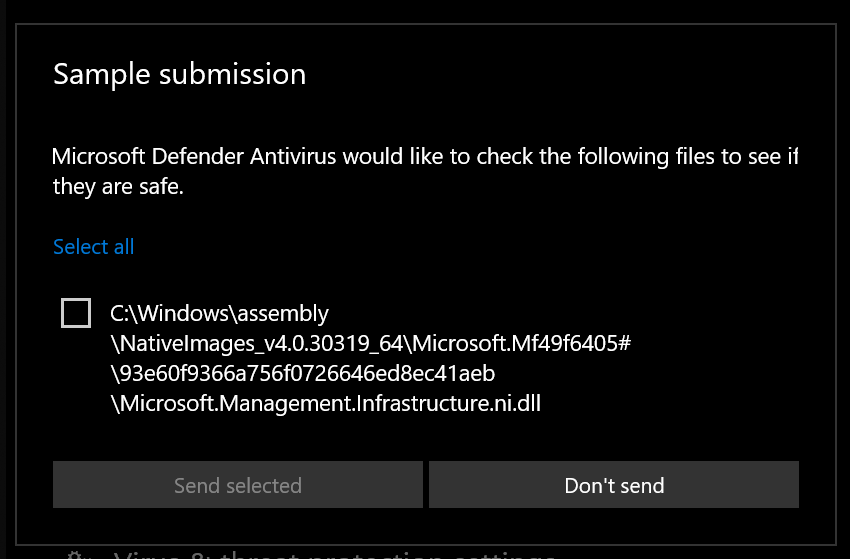
Before Creating Issue
- I triple checked my BIOS virtualization is enabled and verified via Task Manager & multiple motherboard/BIOS config apps (ASUS utilities)
- Tried enabling/disabling/re-enabling of the Subsystem for Linux & Virtual Machine Platform features via both PowerShell & Features GUI (with restarts between each individual feature)
- Tried fully disabling Defender/Firewall protection
- Because researching docs/community still left me unclear on Hyper-V as it relates to WSL2, I tried enabling/disabling Hyper-V & Windows Hypervisor Platform features via both PowerShell & Features GUI (restarts between tests)
Reacted by Gilles Manzato
Activity
GManzato commentedon Oct 10, 2019
I'm having the same problem.
ev-dev commentedon Oct 31, 2019
After a few subsequent insider builds my wsl2 distros automagically began to work.
Since no other users have commented and there are far too many isssues for this repo, I'm closing it up.