Repository navigation
Error code: Wsl/Service/CreateInstance/CreateVm/ConfigureNetworking/0x80041002 #9016
Description

Version
Microsoft Windows [Version 10.0.22623.746]
WSL Version
- WSL 2
- WSL 1
Kernel Version
5.15.68.1
Distro Version
Ubuntu 20.04, Ubuntu 22.04 - all distributions
Other Software
Docker version 20.10.17, build 100c701 (also affected)
VMWare Workstation 16 Pro [16.2.4 build-20089737] (installed alongside WSL)
Repro Steps
- Issue encountered when starting any WSL terminal session.
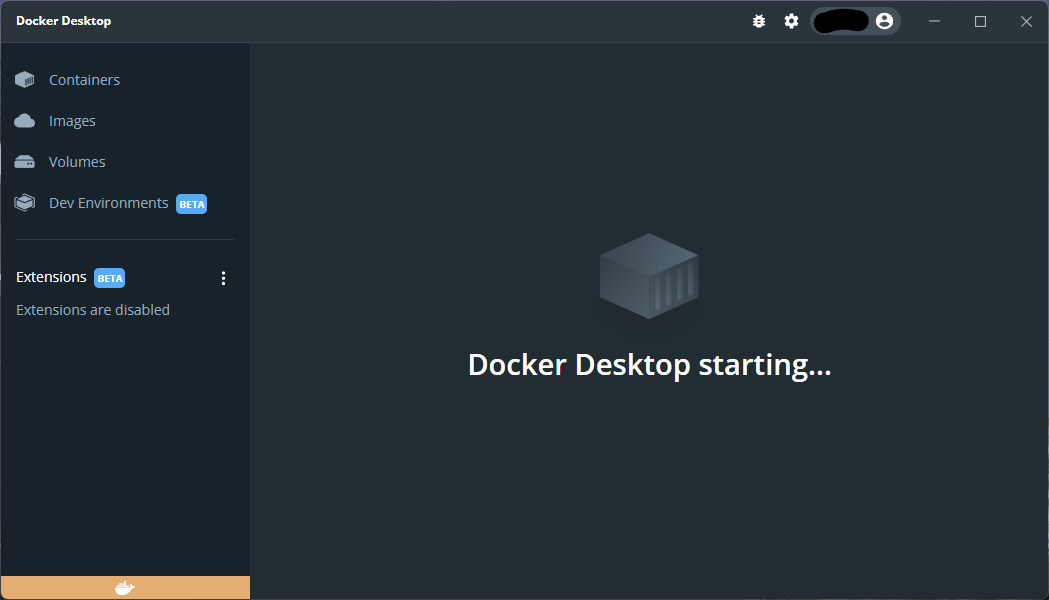
- Docker Desktop does not fully start up and displays "Docker Desktop starting ..."
- Hyper-V
Expected Behavior
- WSL terminal session initiation.
- Docker Desktop start up sequence completes.
Actual Behavior
Have tried removing each of the following components, rebooting in between each time and reinstalling in various different sequences:
Windows components via "Apps > Optional Features > More Windows Features":
- Windows Subsystem for Linux
- Windows Hypervisor Platform
- Virtual Machine Platform
- Hyper-V Hypervisor
- Hyper-V Services
Have tested after completely uninstalling / removing applications via "Apps > Installed Apps":
- Docker Desktop
- VMWare Workstation
And tested after reinstalling each independently. The reinstall of VMWare subsequently broke its virtual network adapter installation (manually removed the device after uninstalling the application).
Have tried each of the various suggested resolutions from:
Only course of action left to try is a complete reinstallation of Windows 11.... am just waiting for the backups to complete before attempting... fingers crossed!
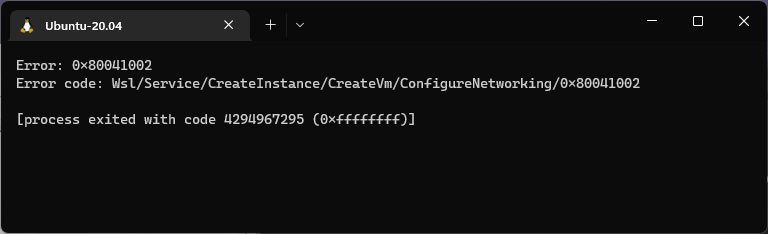
Error: 0x80041002
Error code: Wsl/Service/CreateInstance/CreateVm/ConfigureNetworking/0x80041002

[process exited with code 4294967295 (0xffffffff)]
**Error message reported when starting any WSL terminal session, for any installed distribution: **
Docker Desktop:
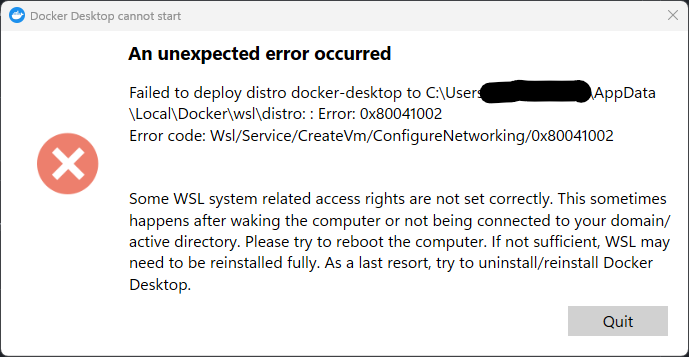
Hyper-V Virtual Switch Extension Adapter:
Device ROOT\VMS_VSMP\0000 had a problem starting.

Driver Name: wvms_mp_windows.inf
Class Guid: {4d36e972-e325-11ce-bfc1-08002be10318}
Service: VMSMP
Lower Filters:
Upper Filters:
Problem: 0x0
Problem Status: 0xC00000E5


VMWare Virtual Ethernet Adapter:
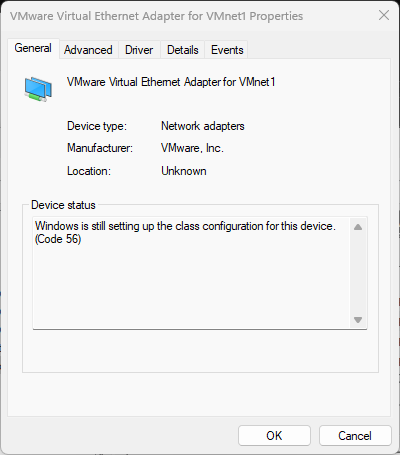
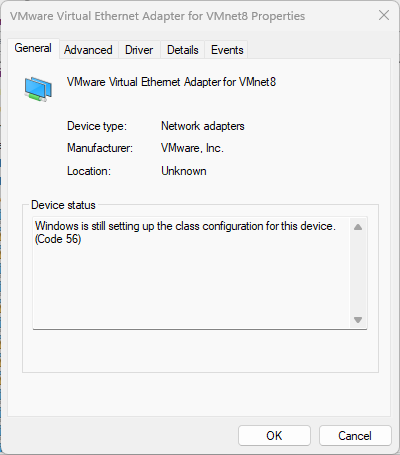
Activity
ToddRosenkrantz commentedon Oct 15, 2022
I resolved this by adding a virtual switch in Hyper-V Manager named "Bridge". I set mine up for external network connection.

This works but has some problems.
This does allow Docker Desktop to start. I have not tested any network functionality in docker yet.
hijimasa commentedon Dec 27, 2022
I faced a similar problem.
I am still using Windows 10 for company reasons.
So it is not supported with Bridge mode.
I modified the .wslconfig as below, and can boot Ubuntu.
Before
After
I use WSL2 directly, not use Docker Desktop.
Therefore, you may not use same way.
But I hope to help this you.
owen118z commentedon Jan 29, 2023
+1
JiaHuann commentedon Jan 30, 2023
+1 after I enable IPV6 and disabled on Windows ,then Docker and WSL report Wsl/Service/CreateInstance/CreateVm/ConfigureNetworking/0x8007023e
keiveulbugs commentedon Mar 9, 2023
thanks fixed it for me! after having trouble for months, this simple thing fixed it.
For anyone not being able to find the conf file.
https://learn.microsoft.com/en-us/windows/wsl/wsl-config
0xMashiro commentedon Mar 19, 2023
Have you solved it? I meet the same situation.
neoOpus commentedon Mar 24, 2023
Got the same issue and it was because of Acrylic DNS, disabling it or configuring it properly would solve this.
abraham-yusuf commentedon Mar 24, 2023
this same issue, valet stop and its works
o-talaver commentedon Mar 30, 2023
It suddenly stopped working in the middle of the day. I checked updates, which happened to be, updated, and started working immediately
soroshsabz commentedon May 10, 2023
related to #10089
emapco commentedon May 17, 2023
Turn Windows features on or offwsl --install Ubuntu --web-downloadThis installed the
Ethernet adapter vEthernet (WSL)virtual ethernet adapter that I was missing.ledinhduy281 commentedon May 23, 2023
I've done what you said, but still have these issues. Do you have any ideas to solve it?
KrauseStefan commentedon May 30, 2023
Rebooting helped for me.
neoOpus commentedon May 30, 2023
Those who still have an issue try but it is not because of network issues (firewall, hosts, etc) then try to reboot if not possible then try to shutdown wsl via this command
wsl --shutdownif this is stuck too then try to use this
taskkill /F /im wslservice.exeThen start wsl again using this command
wslIf the issue persists please collect diagnostics and submit an issue (https://docs.docker.com/desktop/troubleshoot/overview/#diagnose-from-the-terminal).
Resetting all network settings and performing troubleshooting tasks such as uninstalling/reinstalling WSL and Docker can be time-consuming. However, it is crucial to identify the root cause of the problem by reflecting on the actions taken that may have caused it. Whether you choose to share your findings with the community or keep them to yourself, remember that the community support is invaluable.
zty012 commentedon Jun 10, 2023
It works for me!!!! ty
cjens00 commentedon Jul 16, 2023
Preface
A few days ago I removed both WSL and the Virtual Machine platform, then,
Problem
Upon launching 'wsl' from the command line or Visual Studio Code w/ WSL remote enabled (it was working about 12 hours ago), I'm given an error message by VS Code as well as some wsl terminal output
Wsl/Service/CreateInstance/CreateVm/ConfigureNetworking/0x80041002Fix
Note:

Hyper-V was disabled and removed during the uninstallation of VMWare.
VM Platform enabled. Oddly, WSL is disabled in the features list.

as-thanhdao commentedon Jul 16, 2023
the latest update of Windows is suck, tried to rollback then it works now.
cjens00 commentedon Jul 16, 2023
Nevermind. Running into the same issue again even with VMWare Workstation uninstalled.
This latest dev update is genuinely not good as Thanh Dao (@as-thanhdao) mentioned.
jpliraa commentedon Jul 20, 2023
me too!
SmashingQuasar commentedon Aug 2, 2023
I had the same issue and apparently resolved it by turning off my VPN prior to launching WSL.
In PowerShell:
wsl --shutdownThen turn off your VPN.
Then in PowerShell
wsl.Here is my WSL 2 configuration file (
.wslconfig):kokokh commentedon Aug 13, 2023
This helped me. Distro booted right up after killing my VPN and restarting wsl.
Thanks.
Arya2255 commentedon Sep 16, 2023
I uninstalled vmware and restarted the system, the problem was solved.
zmasek commentedon Oct 6, 2023
Over here, too, but don't have any other virtualizations. Everything's vanilla.
Raven-Singularity commentedon Sep 19, 2024
I had a similar incident after installing then uninstalling VMware, which left my
Hyper-V Extensible Virtual Switchentirely broken. I was unable to load WSL2 for about 10 days due to the missing virtual network adapter.What fixed it for me was removing this registry key which VMware left behind:
After removing this registry key manually, then clicking
Network Reseton the Networking Control Panel page, my system came back up with fully working networking, including my WSL2 launching again!Note: Network Reset made me wait 5 minutes before it rebooted the system.
Hope it helps other people who are stuck!
Other error codes and error messages I experienced:
iimasum commentedon Sep 22, 2024
I think it might be useful

basically i am beginner .. so sorry in advance ..thanks for being kind
I have tried almost every way on the internet(stack...windows..) but i am unable to solve ..the first screenshot one iwas able to solve but it appeared after i tried anather one... i tried many ways but none working...i downloaded docker yesterday its updated almost and tried again how many times installing and uninstalling...
its for one of my exam projects i need to use docker
thanks for your time
Raven-Singularity commentedon Sep 22, 2024
Masum Ahmed Tapadar (@iimasum):
What is node-vulcanjs and vulcanadapter.cc?
It is not starting because it can't create a virtual network adapter for NAT network access. Have you tried removing the VMware registry key like my previous post, and doing a
Network Reset, to fix your virtual networking?If you go to Hyper-V Management and go to the Virtual Switches section, does it list any virtual switches?
Does your container require network access?
If you don't need networking, you can disable it by adding this:
To this file in your user folder:
C:\Users\YourUser\.wslconfigmicrosoft-github-policy-service commentedon Sep 25, 2025
This issue has been automatically closed since it has not had any activity for the past year. If you're still experiencing this issue please re-file this as a new issue or feature request.
Thank you!