Repository navigation
RCTRootView: updating appProperties does not work on iOS if bridge is still loading #20115
Description

- Review the documentation: https://facebook.github.io/react-native
- Search for existing issues: https://github.com/facebook/react-native/issues
- Use the latest React Native release: https://github.com/facebook/react-native/releases
Environment
Scanning folders for symlinks in /Users/veen011/Projects/Apps/AppPropertiesNoReRenderWhileBridgeIsLoading/node_modules (13ms)

  React Native Environment Info:
    System:
      ### Please let me know if you need this ###
    Binaries:
      Node: 10.5.0 - /usr/local/bin/node
      Yarn: 1.7.0 - /usr/local/bin/yarn
      npm: 6.1.0 - /usr/local/bin/npm
      Watchman: 4.9.0 - /usr/local/bin/watchman
    SDKs:
      iOS SDK:
        Platforms: iOS 11.4, macOS 10.13, tvOS 11.4, watchOS 4.3
    IDEs:
      Android Studio: 3.1 AI-173.4819257
      Xcode: 9.4.1/9F2000 - /usr/bin/xcodebuild
    npmPackages:
      react: 16.4.1 => 16.4.1
      react-native: 0.56.0 => 0.56.0
Short description
Follow up on #15938
RCTRootView also provides a read-write property appProperties. After appProperties is set, the React Native app is re-rendered with new properties. The update is only performed when the new updated properties differ from the previous ones.
{...}
It is fine to update properties anytime. However, updates have to be performed on the main thread. You use the getter on any thread.
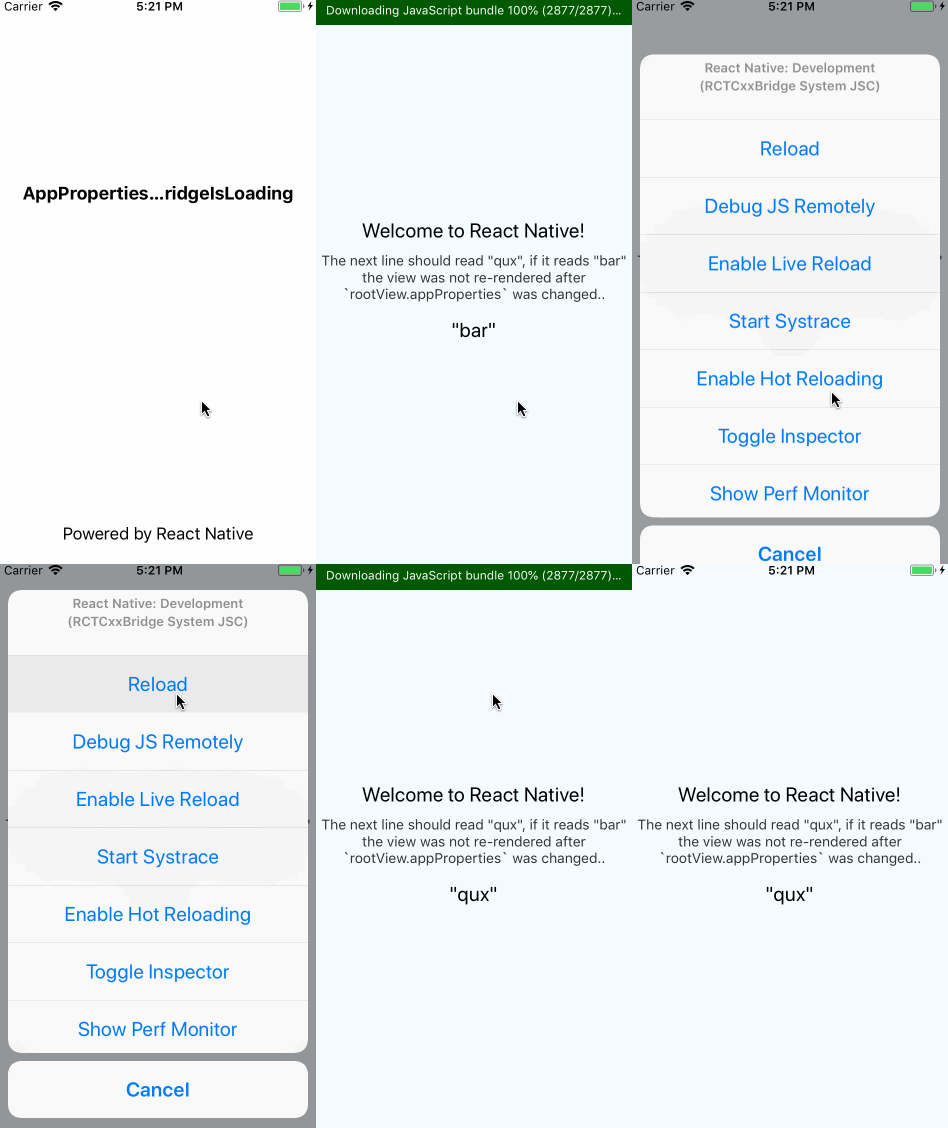
This is not the case, the app is not re-rendered if the bridge was still loading when the properties are updated.
Reproducible Demo
git clone git@github.com:teameh/AppPropertiesNoReRenderWhileBridgeIsLoading.git
cd AppPropertiesNoReRenderWhileBridgeIsLoading
react-native run-ios
or
- create new RN app (
react-native init MyProject) - apply this commit teameh/AppPropertiesNoReRenderWhileBridgeIsLoading@981e953
react-native run-ios
The only change I made to the sample project is adding and updating some some props of the view:
    RCTRootView *rootView = [[RCTRootView alloc] initWithBundleURL:jsCodeLocation
                                                       moduleName:@"AppPropertiesNoReRenderWhileBridgeIsLoading"
-                                               initialProperties:nil
+                                               initialProperties:@{@"foo" : @"bar"}
                                                    launchOptions:launchOptions];
+
+  rootView.appProperties = @{@"foo" : @"qux"};
Which are used in the RN view:
<Text style={styles.welcome}>"{this.props.foo}"</Text>
Before reloading the project the 3rd text node on the view should display "qux" if it displays "bar" it means the props have not been updated.
Activity
teameh commentedon Jul 9, 2018
I did some more digging and I think this is caused by the following:
In
RCTRootView'sinitWithBridgemethodbundleFinishedLoadingis always called even though the javascript might still be loading..bundleFinishedLoadingcallsrunApplication:bridgewith the initial properties.An instant later, when
setAppPropertiesis called (and normally the app runs again) the bridge is still loading so the app won't run again:javaScriptDidLoadis called. But the bridge is the same and thusbundleFinishedLoadingwon't get called again, preventing the update:teameh commentedon Jul 9, 2018
Tried to write some code that fixes this, see the PR.
teameh commentedon Jul 26, 2018
Is there anything I can do to help fix this issue? No worries, I understand that it's hard to maintain a repo with 600+ open issues :)
jessedijkstra commentedon Aug 24, 2018
I'm having the same issue, any updates?
harking commentedon Nov 8, 2018
Until this is fixed, a workaround is to listen to the RCTJavaScriptDidLoad and set the appProperties in there.
jessedijkstra commentedon Feb 25, 2019
@cpojer The issue has been closed, does that mean that this bug has been fixed?
jeremyis commentedon May 12, 2019
I think I am still experiencing this issue. The Objective C code is slightly different:
zbagley commentedon Aug 16, 2019
@jessedijkstra This is a react native repo, which means they close bugs whenever they want because otherwise they'd have too many to ever actually fix ;) Need to use the workaround.
imcodingideas commentedon Jan 25, 2020
This is even something they know because its references here: https://facebook.github.io/react-native/docs/communication-ios on the docs.