Repository navigation
Can't run the java code #870

Description

Environment:
-
VS Code Version: Version: 1.63.2
-
Extension Version:
-
JDK Type & Version: java "17.0.1"
-
OS Type & Version: Mac Monterey 12.1
Step to Reproduce:
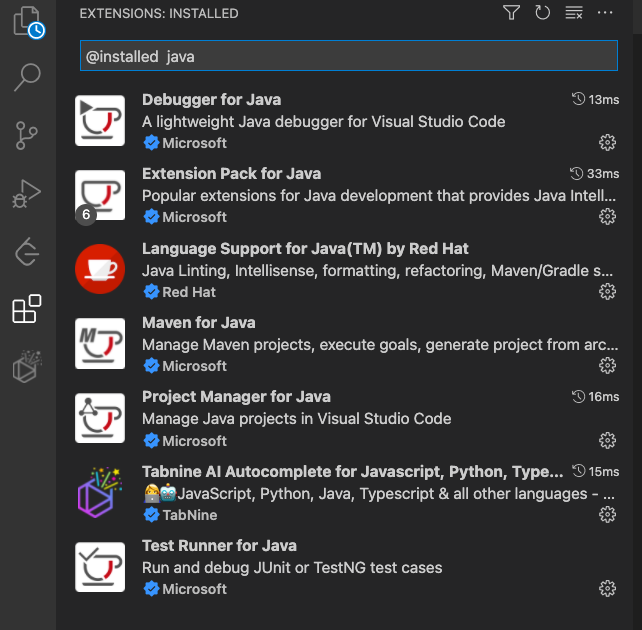
Installing extensions
Settings for the JDK


Creating a source code file
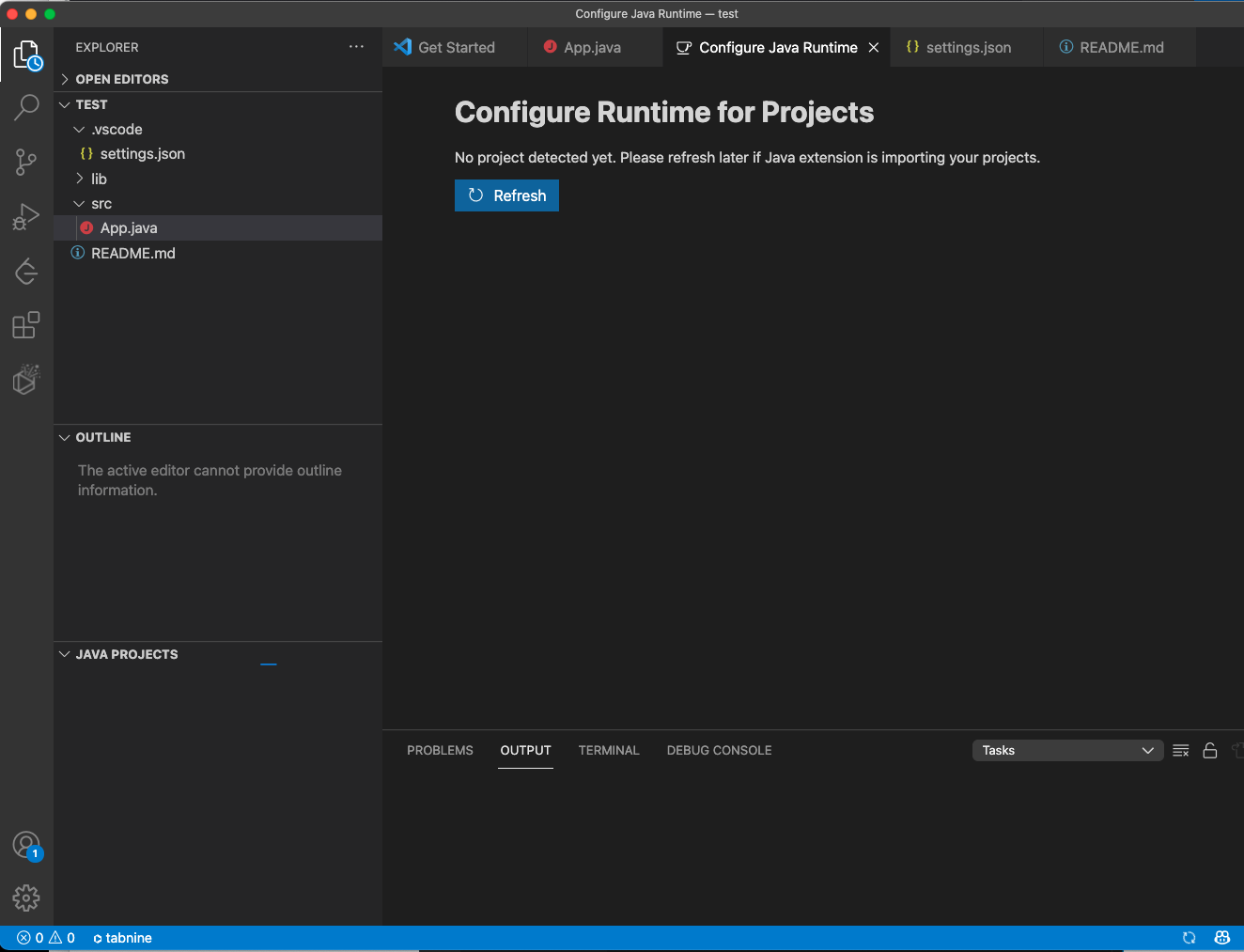

Can't run the java code


Activity
Eskibear commentedon Jan 5, 2022
From the "spinning sync icon" at bottom right corner, it tells that the language server is starting (e.g. importing your project).
Can you wait a little longer, or check "Language Support for Java" output channel for detailed logs? If you can stably reproduce the error (e.g. spinning forever), please provide a sample project.
hjue commentedon Jan 11, 2022
dev tools log screenshot
client.log
Eskibear commentedon Jan 12, 2022
Looks like it was working on lightweight mode. Jinbo Wang (@testforstephen) Any idea?
github-actions commentedon Oct 31, 2025
Hi hjue (@hjue), I'm an AI Support assistant here to help with your issue. While the team reviews your request, I wanted to provide some possible tips and documentation that might help you in the meantime.
It looks like this is a known bug where VS Code’s Java extensions fail to activate (no project detected, “command 'java.debug.runJavaFile' not found”).
• Duplicate issue:
• #2267 (“Can’t run the java code” on Mac, same VS Code/extension versions)
redhat-developer/vscode-java#2267
You can work around it by:
• Ensure your
java.homeis the full JDK path including/Contents/Home:• Run “Java: Clean the Java language server workspace” from the Command Palette and reload the window.
• Check the Java Language Server output (View → Output → select Language Support for Java).
• If you see stream errors, try disabling other extensions (e.g., TabNine) to rule out conflicts.
Other references with high confidence worth checking:
• #963 (same “command 'java.debug.runJavaFile' not found” error)
microsoft/vscode-java-debug#963
Other references with low confidence
• #1460 (empty folder, win10, cannot run code; similar symptoms)
microsoft/vscode-java-debug#1460
• #1003 (JDK uninstall/reinstall on Windows; code runs in terminal but not in VS Code)
redhat-developer/vscode-java#1003
The team will respond to your issue shortly. I hope these suggestions are helpful in the meantime. If this comment helped you, please give it a 👍. If the suggestion was not helpful or incorrect, please give it a 👎. Your feedback helps us improve!